We use Workspace ONE to manage some settings and software required for compliance with UW and federal cybersecurity mandates. If you are curious about the details, see L&S IT Data Privacy & Transparency – IT Landscape for an overview. This page is a guide to installing Workspace ONE, which will then install the other software, including Qualys Cloud Agent for vulnerability scanning, and Cisco Secure Endpoint for malware protection.
Requirements
- This software is only licensed for use on UW-owned computers. For personally owned computers, see Antivirus software for personally owned devices.
- Although you can install Workspace ONE on Windows computers, we only recommend doing it on macOS for now. If you are using the physics department Windows image, you should already have the other security software installed anyway.
Installation of Workspace ONE on Mac computers
- Go to https://www.getwsone.com/. Click the “Hub” download button and run the installer.
- After installation, within a minute or two, the Workspace ONE Intelligent Hub window should open. If not, click on its icon
 in the top bar and select Enroll from the menu.
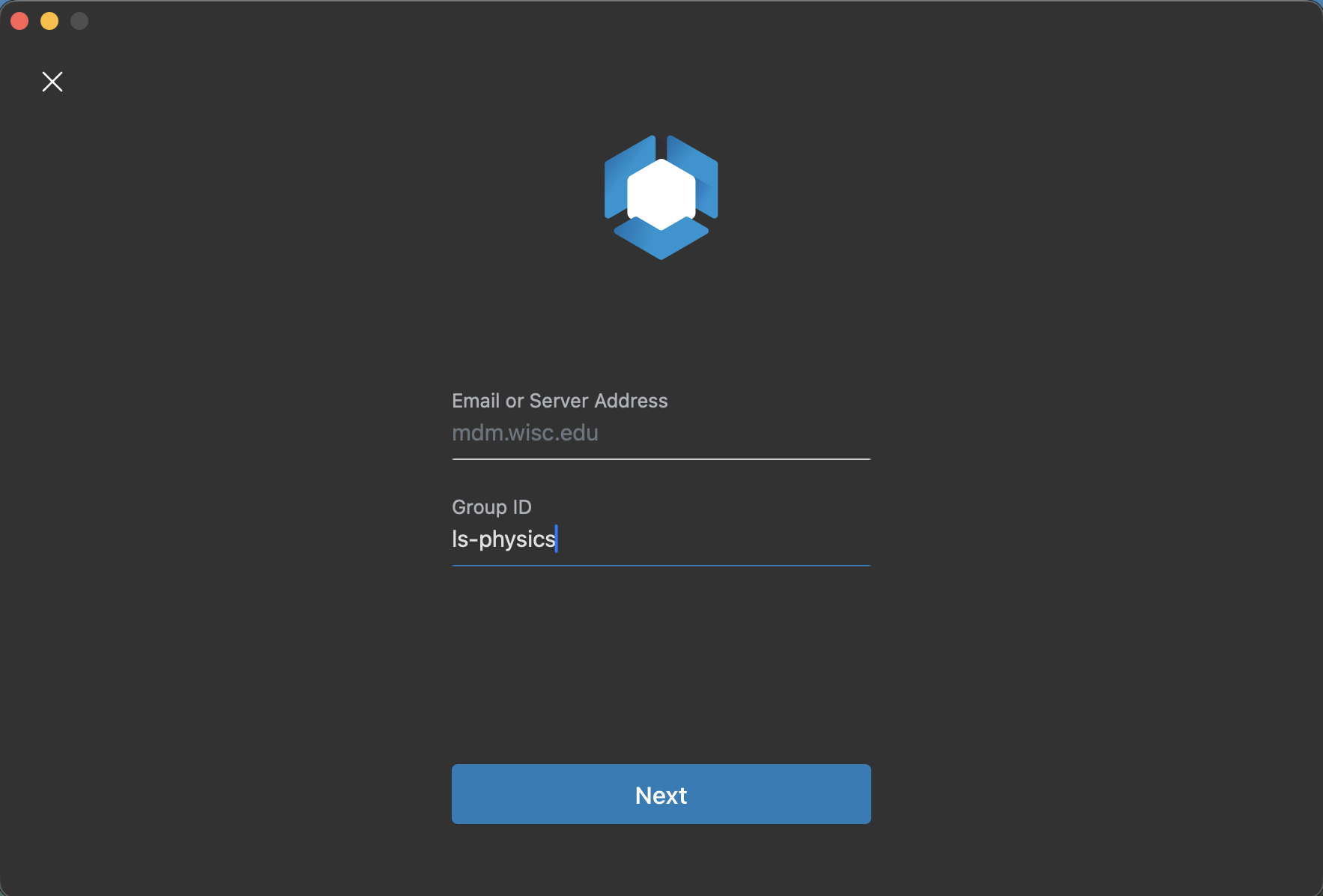
- Enter mdm.wisc.edu for Server Address. Enter ls-physics for Group ID.
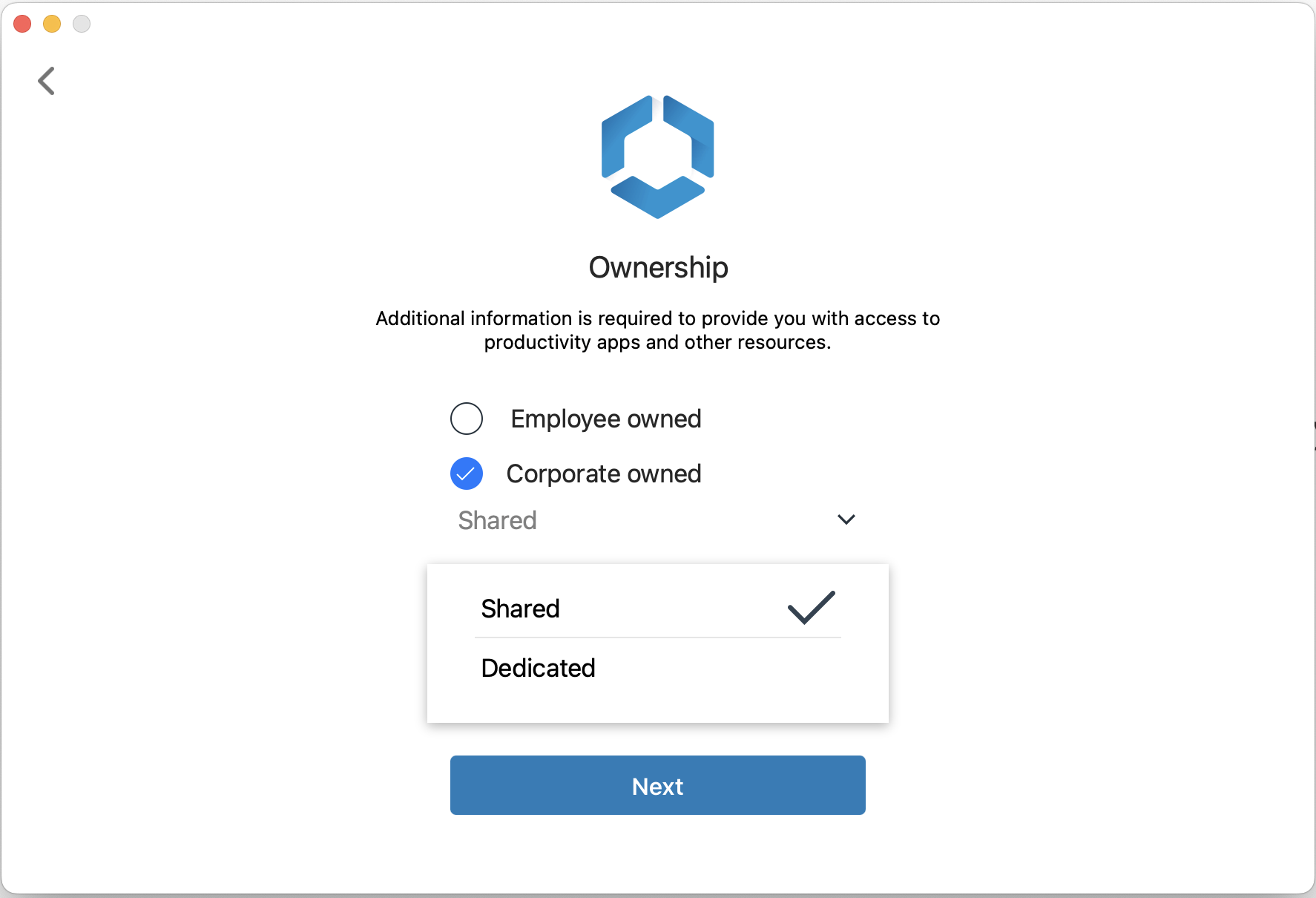
- Select “Corporate owned” and Shared on the Ownership screen.
- Log in with your NetID when prompted.
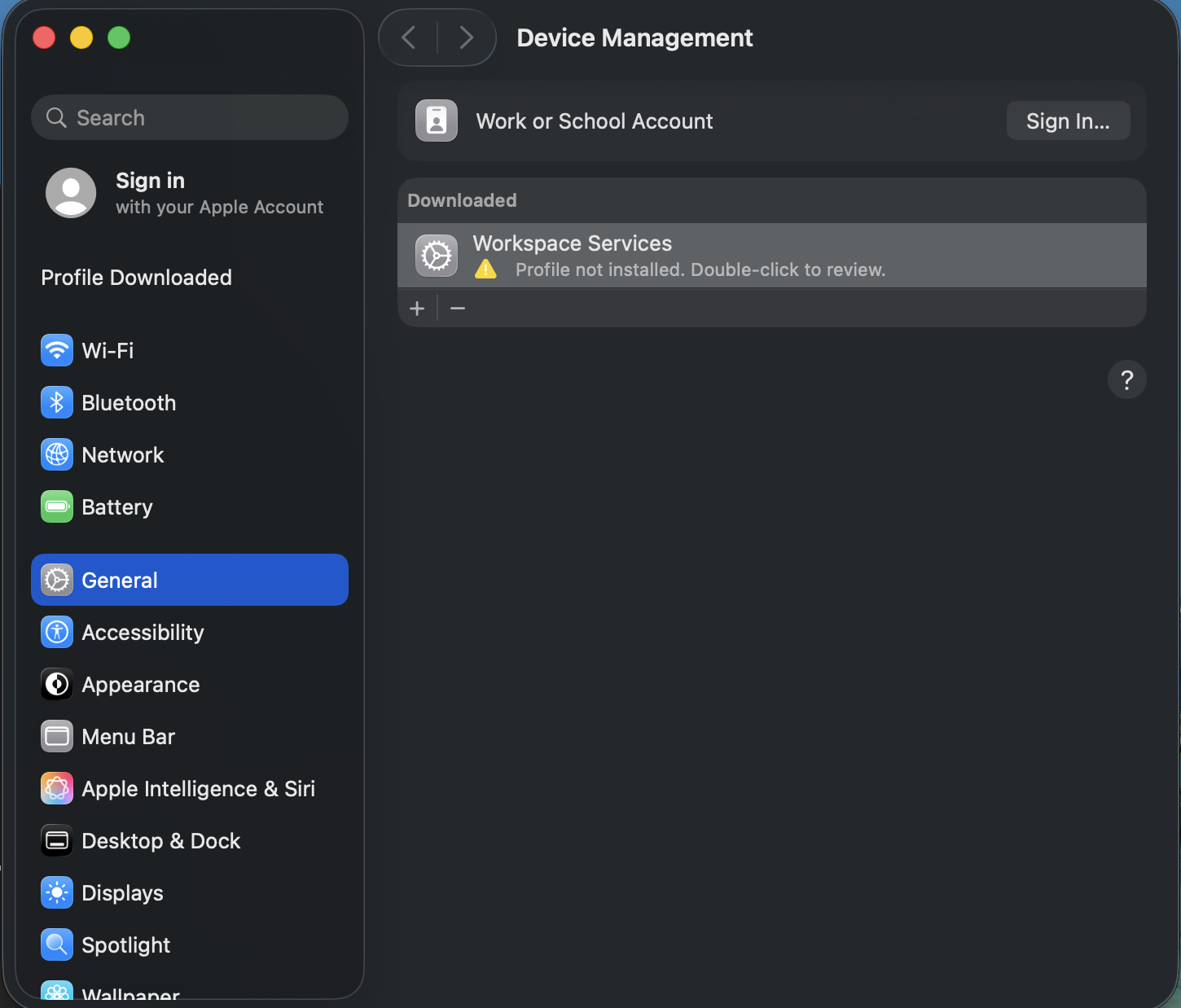
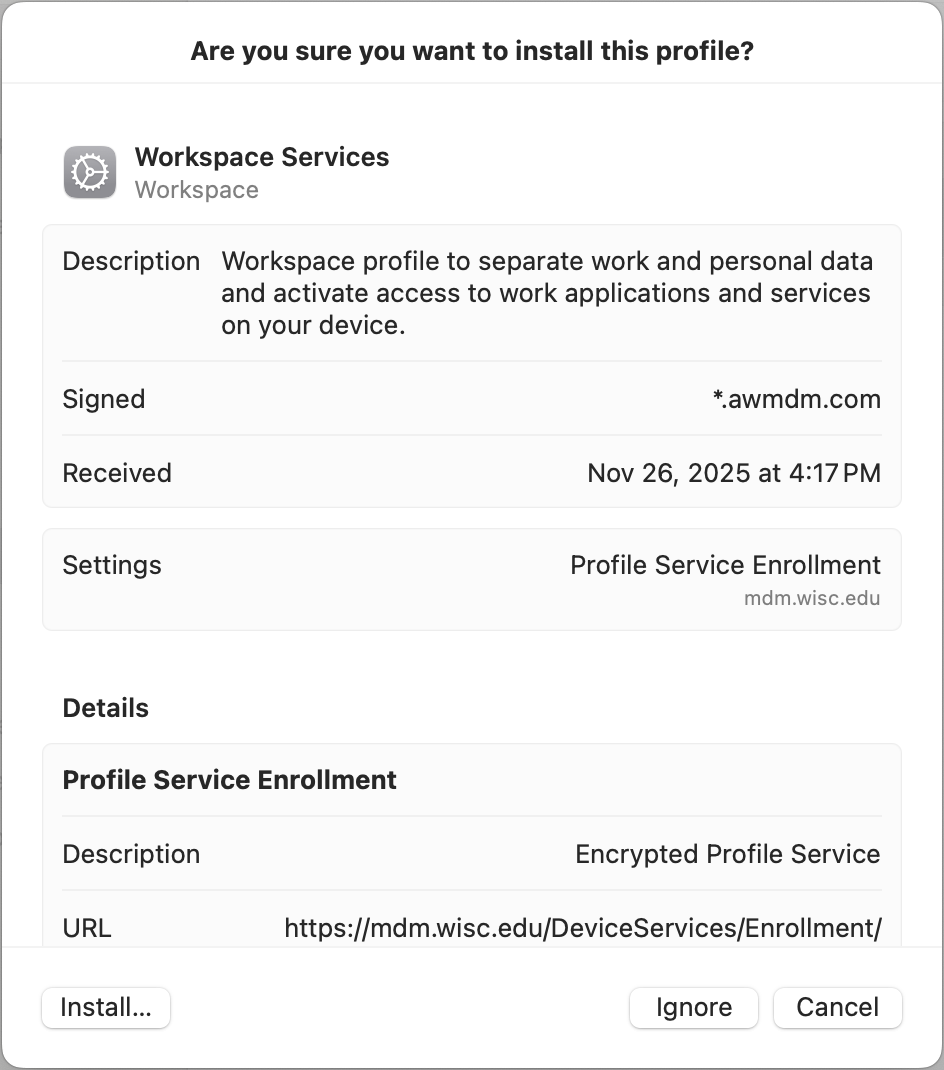
- After accepting some terms of service, a system configuration profile named Workspace Services will be created. Double-click it in System Settings and click the Install button to enable it.
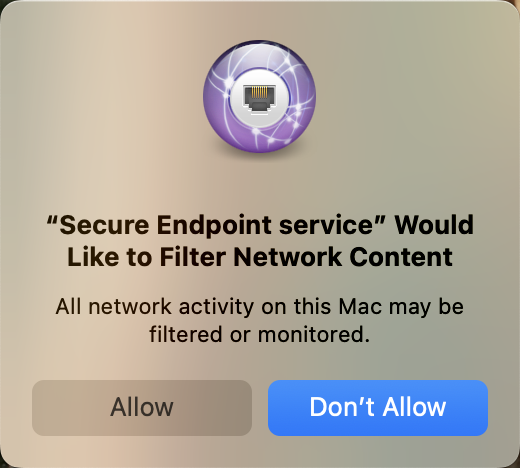
- After a minute or two, Workspace ONE will install the security tools Qualys Cloud Agent and Cisco Secure Endpoint. A dialogue box will appear asking for permission to filter network content. This will allow Cisco Secure Endpoint to detect and prevent security problems. See L&S IT Data Privacy & Transparency – IT Principles.
- The security software reports problems to a central facility monitored by UW cybersecurity and Physics IT. You generally should not need to take any further action. We will notify you if problems are detected.